Using Transparency
You can create non-rectangular cards, or cards with transparent areas, by defining a transparent colour. If a deck is flagged as using transparency the program will take the pixel at position (0,0) as providing the transparent colour. Any areas of a card that match this colour will be completely see-through.
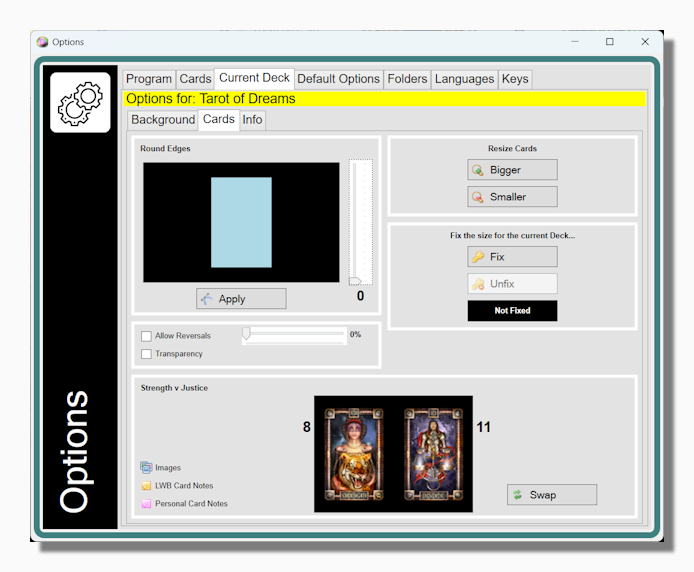
A deck can be flagged as using transparency in the Cards Section of the Current Deck Tab in the Options Form, simply by checking the Transparency option:
Tip: It's important that there is a crisp edge between the part of the image that you want to be visible and the part that will be transparent. Make sure that your graphics program does not apply anti-aliasing where pixel colours are automatically modified to soften and blur pasted areas. This is useful when you are editing a photograph but it is not desirable in this case because only pixels that are a perfect match for your transparent colour will be treated as such by the program.
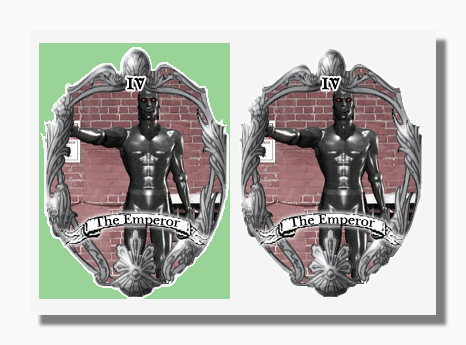
N.B. The card illustrations are from the Poser Goth Arcana by F.J.Campos.